


AI Photo Editor Food Posters Must Show the Serving Sold
An extra pastry changes an offer. So does a second scoop, a larger piece of fish, or a sauce that the kitchen charges for separately. These changes can slip into a polished food picture without looking like mistakes. The photograph becomes more appetising while becoming less useful to someone deciding what to order.
PicEditor AI includes a food-photography tool built around an uploaded dish rather than a meal described from scratch. That is a sensible starting point for a cafe or community food stall. It still leaves the important judgement with the person who knows the serving: whether the edited picture shows what the customer will receive.
How Serving Cues Work in a Food Photograph
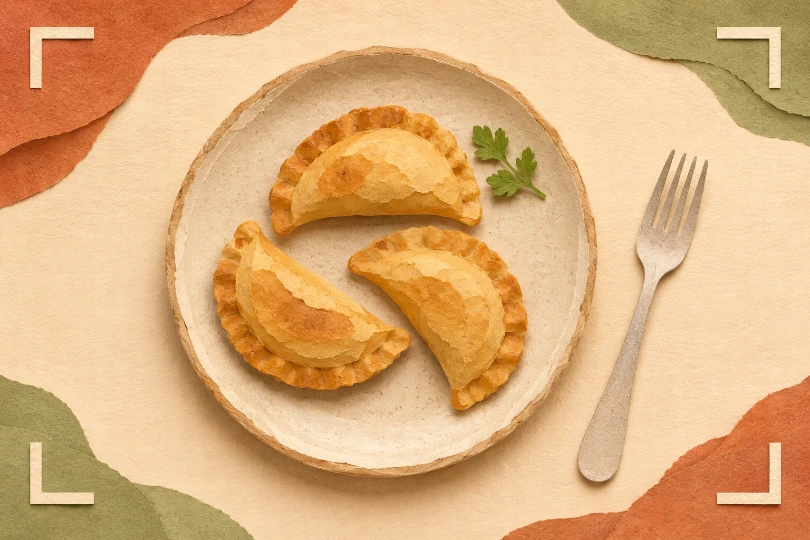
Consider a hypothetical bakery promoting a plate of three filled pastries. In the original phone photograph, one pastry overlaps another and a bright counter makes the whole portion look flat. A more dramatic image might separate the shapes, deepen their colour and move the plate onto a darker table. Those changes could make the existing serving easier to understand.
But suppose the result also adds a fourth pastry behind the garnish. It might be a small object in the picture, yet it changes the apparent quantity by a third. Calling the result a photographic improvement misses the customer’s question. They are using the photograph to decide whether that particular serving is worth buying.
When evaluating an AI Photo Editor for food promotion, start by identifying everything in the image that someone could reasonably expect with their order. Countable pieces are the obvious part. A dip, side salad or decorative topping may matter just as much if it looks edible and appears inside the serving arrangement.
The plate itself can change the message. A smaller-looking bowl makes an unchanged amount seem more generous. A close crop can hide how shallow a container is. Neither requires an invented ingredient. The mismatch comes from how the existing food is presented relative to the objects around it.
Sharing dishes need special care. A large platter may be photographed for a group while the accompanying price refers to one person. Put the group size into the offer before choosing the image. If the service format later changes to individual takeaway boxes, the old platter photograph is no longer an adequate reference, even if its contents match the same recipe.
This is why approval belongs with someone who has seen an ordinary order leave the counter. The cook or stall organiser knows whether the photograph shows the standard serving, a tasting arrangement or a combination assembled for the camera. A designer cannot settle that question by judging sharpness.
Change the Photography Around an Identifiable Dish
Use a clear source photograph of the serving being sold. Move packaging or utensils before taking the shot if they hide important food. It is easier to assess an edit when the source already shows the number of pieces and their relationship to the plate. A partly hidden portion invites uncertainty before any styling begins.
PicEditor AI’s food workflow uses the uploaded meal as its reference, with photography style and output settings guiding the result. Its intended distinction is between changing the photographic treatment and redesigning the dish. The tool also acknowledges that small generative differences can occur. That makes preservation a requirement to inspect, rather than a promise to assume.
For the bakery, request clearer lighting around the existing pastries. Descriptions such as abundant filling or an overflowing plate would invite a different serving. With a mixed platter, identify each variety in the source before generating; three pastries of the wrong type would still fail the menu description.
A Photo editor can make shadows less distracting without being asked to make a portion larger. Treat atmosphere as the adjustable part of the brief. The meal’s count, visible filling and included extras belong in the fixed part. If the source does not show a filling clearly, take another photograph instead of asking the system to invent a more persuasive cross-section.
Output shape needs a little care as well. A tall poster may tempt the designer to fill the available space with a larger-looking meal. Give the surrounding design room to carry the date and price instead. Empty table space is usually a better answer than adding food that the kitchen never agreed to supply.
Reconcile the Edited Plate With One Normal Order
Put the original and candidate beside each other at a size where both are easy to inspect. Count the main items first, then follow each item around its visible edge. Overlapping food can merge into a larger piece; a browned corner can become a separate pastry. The question is whether a customer would count the same serving in both pictures.
Check the included extras next. Imagine a takeaway lunch where the original contains rice and one spoonful of chutney. A generous puddle of sauce in the edited version may look like a styling choice, but it suggests more sauce than the order includes. If extra sauce costs more, the image should not quietly bundle it into the basic meal.
Use the Photo editor result as a candidate for this reconciliation, with the source photograph still visible. Do not compare successive edited versions only against one another. Once an oversized garnish survives into a second version, familiarity can make it look like part of the original dish.
Also look at the vessel. Compare the rim, the amount of exposed plate and the height of the food above it. These cues help reveal a portion that has grown visually without acquiring an obvious extra piece. Keep the actual serving nearby when practical; the size of the real container can resolve a disagreement that two screen images cannot.
Colour requires a separate decision. Better exposure can reveal a crust that was already there. A much darker crust may suggest a different degree of cooking, while a brighter filling may imply ingredients absent from the recipe. Ask the kitchen which changes still describe its food. Do not use colour alone to claim freshness or quality that the photograph cannot establish.
Finally, review the assembled poster. A price beside a plate is stronger than the plate alone. If the photograph includes two drinks but the price covers one, the layout needs correcting even when every food item survived the edit. For a meal deal, show which drink and portion the displayed price includes. A customer should not need to guess whether the attractive extra is part of the order.
Approve the Serving Before Releasing the Poster
PicEditor AI is a useful candidate for businesses that already have a photograph of their real food and want a better photographic treatment. An AI Photo Editor is a poor substitute for deciding what the advertised serving contains. That decision must come from the people preparing and selling it.
Let the kitchen approve the finished promotion as an ordinary order, with its actual price and included extras visible. If the edited image creates a disagreement about quantity, return to the source or photograph the plate again. A slightly less dramatic picture is easier to stand behind when the customer opens the box.

Comments are closed.